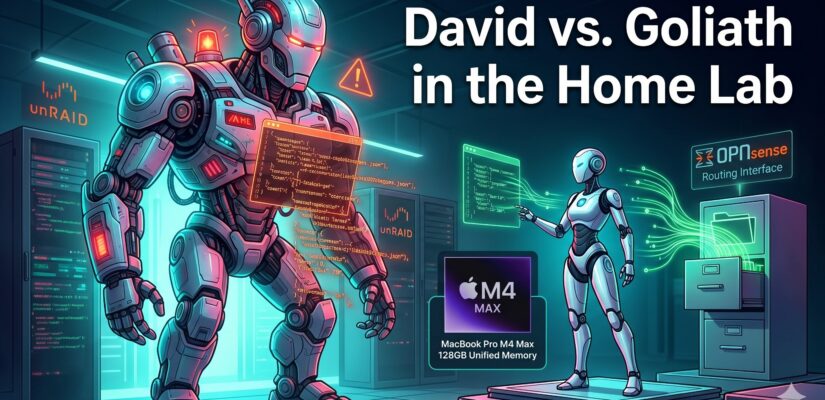
David vs. Goliath in the Home Lab: Why a Smaller AI Model Beat a Behemoth
Managing a multi-server home lab environment with custom OPNsense routing and multiple unRAID boxes generates a mountain of documentation. Recently, after deploying a high-availability Kea DHCP server and a web-based subnet editor, I decided to have a local AI model write up the project notes for me.
I set up a test on my macOS workstation using LM Studio, connecting the AI directly to my project files. I pitted a massive, resource-heavy AI model against a much smaller one to see who could read my notes and write the best post.
The results completely flipped my expectations on how we measure AI “intelligence.” But before we get to the showdown, let’s break down the tools and the hardware running this experiment in plain English.
The Toolbox (Explained Simply)
If you are new to the world of local AI and advanced document management, here is a quick primer on the pieces of this puzzle:
- Local AI Model: Imagine having a super-smart robotic assistant, but instead of living in a massive corporate data center, it lives entirely inside your own computer. It doesn’t need the internet to think, and your private data never leaves your desk.
- Parameters (The ‘Brain’): AI size is measured in “parameters” (represented by a ‘B’ for billions). A 70B model has read more books and understands more complex instructions than a 35B model. Usually, bigger brain equals better results.
- DEVONthink: Think of this as the ultimate digital filing cabinet for the Mac. It doesn’t just store documents; it reads them, connects them, and organizes them intelligently.
- MCP (Model Context Protocol): This is the walkie-talkie system that allows the AI to talk directly to the DEVONthink filing cabinet. Without MCP, the AI is locked in a soundproof room. With MCP, the AI can ask for a specific folder, read the files inside, and put a newly written document back into a specific drawer.
The Hardware Reality: Kitchen Counters and Gas Tanks
You might be wondering why I am running this on a MacBook Pro instead of throwing it at the GeForce RTX 5070 in my server rack. To explain why, we need to look at how AI actually uses memory.
To run a local AI, you need two types of memory space:
1. The Model Weights (The Ingredients): The file you download. It is the core “recipe” the AI uses to think.
2. The Context Memory (The Workspace): The space the AI needs to read your specific documents. The longer the document, the more workspace it needs.
Why the RTX 5070 Server Fails (The Tiny Kitchen):
The RTX 5070 is a phenomenal, incredibly fast sports car of a graphics card, but it only has a 12-gallon gas tank (12 GB of VRAM). The large AI model I wanted to test requires over 42 GB of space.
If you try to stuff a 42 GB AI into a 12 GB graphics card, the computer has to split it up. It puts what it can on the fast GPU (the kitchen counter), and shoves the rest into your server’s standard system RAM (the pantry). Every time the AI thinks of a single word, it has to run down the hallway to the pantry to grab more ingredients. The whole system grinds to an absolute halt.
Why the M4 Max MacBook Pro Wins (The Massive Island):
My Mac has 128 GB of “Unified Memory.” It doesn’t separate the fast graphics memory from the regular system memory. It is one massive, 128-gallon fuel tank. The processor and the graphics chip share the exact same space. I can load the massive 42 GB AI model straight onto the main counter, with over 80 GB of space left over to run DEVONthink, the operating system, and the AI’s workspace. Everything is within arm’s reach, so it runs at lightning speed.
The Experiment
The task was simple: “Use the MCP walkie-talkie to read my DEVONthink project folders for the Kea DHCP and Subnet Editor projects, write a blog post about them, and save that new post back into DEVONthink.”
Round 1: The Goliath (Llama 3.3 70B)
I started with Meta’s Llama 3.3 70B (a 42.5 GB file). It is a brilliant model, packing massive raw intelligence into my unified memory.
The Result: Complete Failure. Despite having the massive 128 GB playground to work in, the model couldn’t follow the rules. Instead of using the MCP connection to check DEVONthink, the model just guessed. It hallucinated a generic post about what a DHCP server is without ever reading my actual project files. Worse, when it tried to save the file, it forgot how to use the walkie-talkie entirely. Instead of silently sending the command to the filing cabinet, it panicked and dumped the raw computer code straight into our chat window. The big brain tripped over its own feet.
Round 2: The David (Qwen 3.6 35B)
Next, I switched to a much smaller model (qwen3.6-35b). It uses half the memory (about 21.3 GB) and has a much smaller “brain.”
The Result: Flawless Execution.
This model didn’t guess. It immediately used the MCP connection to ask DEVONthink, “What databases do you have?” Then it searched for my specific 2026 project folders. It pulled my actual project notes, read the documentation, and synthesized a highly accurate blog post. Finally, it properly formatted the command to send the finished Markdown file right back into the correct DEVONthink directory.
The Takeaway
We are trained to think that bigger numbers mean better performance in tech. If 35 Billion parameters is good, 70 Billion must be great, right?
Not when it comes to agentic workflows.
Raw intelligence doesn’t matter if the model can’t follow the rules of engagement. The smaller Qwen model was specifically tuned to use tools and follow multi-step plans. It proved that a smaller, highly disciplined AI that knows how to properly navigate your local files and use integrations like MCP is vastly superior to a massive AI that tries to guess the answers and fumbles its commands.
Bigger isn’t always better. Sometimes, you just need an AI that knows how to use a filing cabinet.
About the Author

Kevin Cossaboon
A networking profesional located in Northren Virginia, USA. My hobbies are Technology and Photography. Love playing with the latest technology, and will try to post reviews of them. Also love my life long journey of learning to capture light, to trigger emotions, through photography.