Two Months of Vibe Coding a House
TL;DR: For two months I built software mostly by describing problems to an AI in plain sentences. Out of that came a box inventory with QR labels, an offline-episode queue that replaces a feature Plex removed, an audiobook catalogue, an off-box “break glass” map of my network, a photo pipeline for a Leica, a slideshow maker, and a 3D-printed lens case that took ten tries. Then one ordinary reboot left half of it running blind for fifteen hours without a single alert. That night taught me more than the building did. This post covers the apps, the reasons I couldn’t just buy them, what broke, and the safety nets I built afterwards.
In August I wrote about accidentally becoming a platform team. This is the sequel: two months of actually using that platform. Mostly that meant typing a sentence about something that bugged me and ending up with an app.
I only learned the name for it at a symposium in September: “vibe coding.” My version has one rule, and every project below follows it: the problem statement comes first, in my words. Not a feature list. A sentence about what annoys me. The AI argues options against it, and if nothing off the shelf fits, we build.
The sentence is the easy part. The harness is the trick.
Saying “a sentence turns into an app” skips the part that makes it work. A sentence typed into a bare chatbot gets you a generic script that guesses at my network, puts a password in a file, and gets forgotten in a week. What I type my sentence into is a harness: everything the AI is handed before it writes a line, so that whatever it builds comes out built the way this house (my standards) builds things.
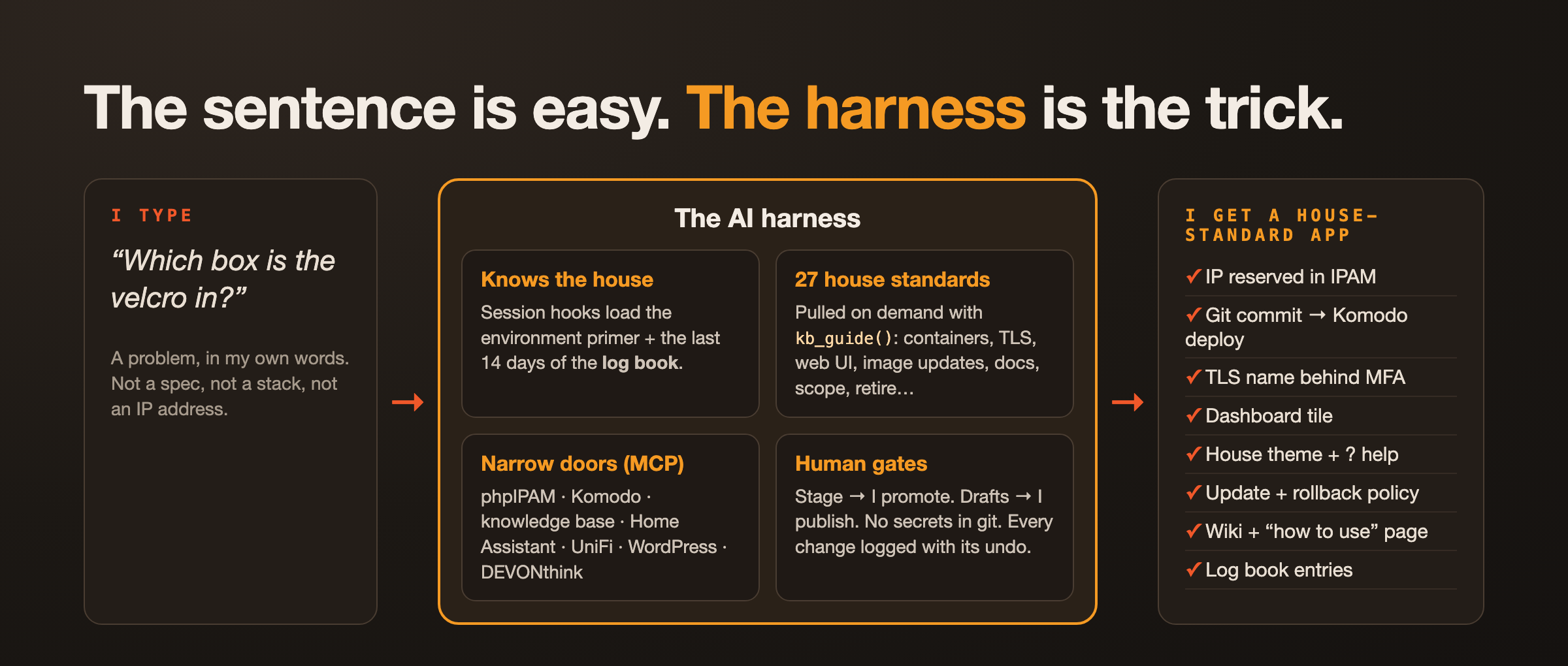
It has four layers:
- It wakes up knowing the house environment. Every session starts with two hooks. One loads an environment primer: the three servers and what each is for, the VLANs, the key addresses, the conventions. The other pastes in the last fourteen days of the log book, so the AI knows what other sessions changed before it touches anything. No re-explains the network each time.
- It follows house standards, pulled on demand. There are 27 written standards (and growing with leanings), and the AI loads one with
kb_guide()when it needs it: how to start a container project, put it behind a TLS name, make its web UI look like ours, handle image updates, retire something completely, document a project, scope an idea, even publish this blog post. They live on my wiki, not in the AI’s memory, so when a standard changes, every session gets the new version the next time it asks. - It has hands, through narrow doors. Small MCP (some I / AI wrote) servers give it controlled access to the real systems: phpIPAM (it asks for a free IP and reserves it), Komodo (deploys), the knowledge base (docs and the log book), Home Assistant, WordPress, and DEVONthink.
- It has gates it can’t cross alone (safe guards). Docs go to a stage copy of the wiki, and only I promote them to the live wiki. Blog posts stop as drafts. Secrets never go in git. Every change gets a log entry with how to undo it.
So when I say “I need an app to do….”, I’m not really asking for code. I’m asking for a house-standard app. It comes back with an address reserved in IPAM, a Git commit that Komodo deploys, a TLS name behind MFA, a dashboard tile, the house dark theme with a ? help button, an update-and-rollback policy, a wiki page, a “how to use” page, and a log entry. The sentence decides what gets built. The harness decides how, the same way every time, whether I remember the rules that evening or not.
Most of what made these apps quick wasn’t the AI writing code. It was every decision the harness had already made, so neither of us had to make it again.
The apps that were not available to buy or download
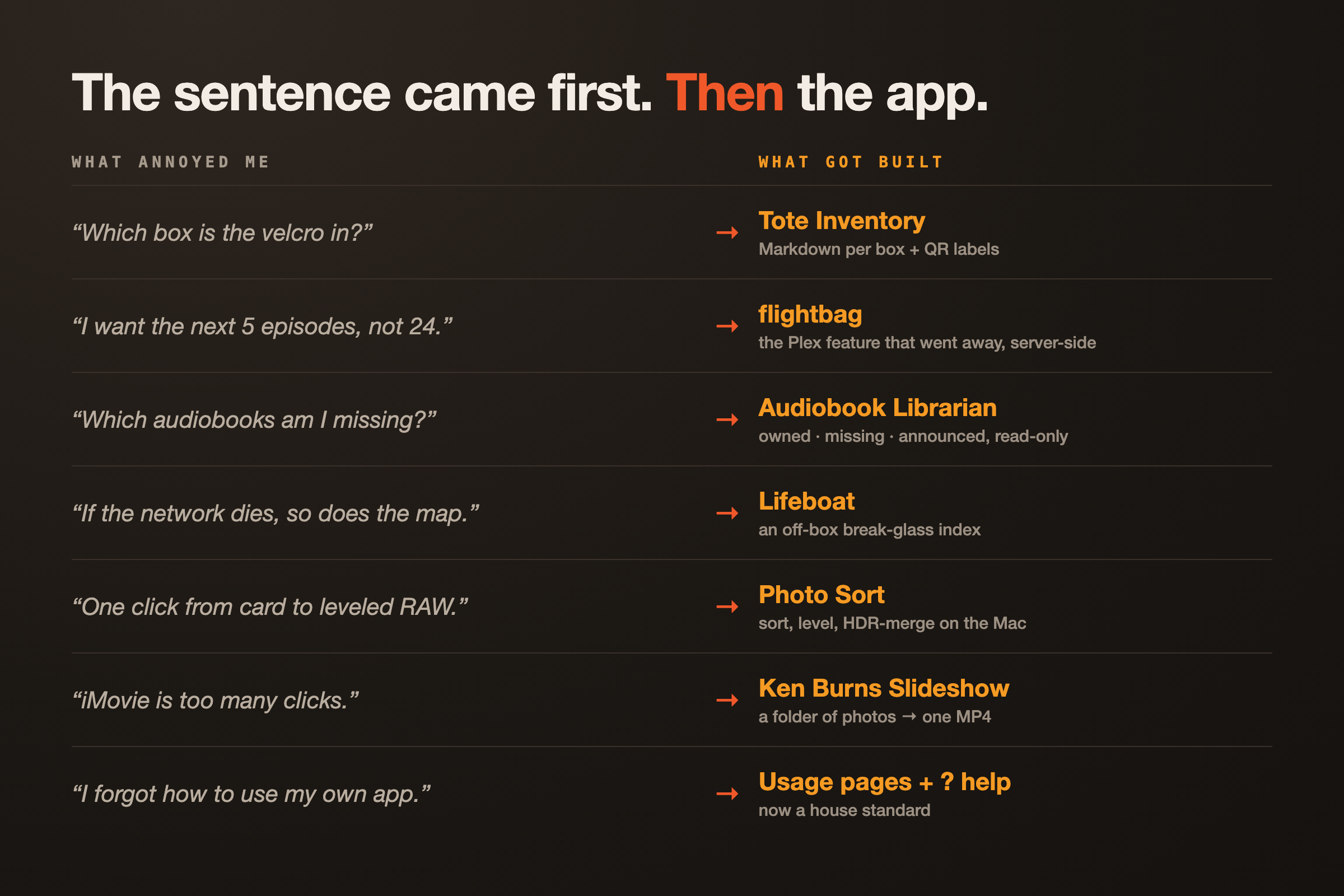
“Which box is the velcro in?”
I keep small parts (HDMI converters, arcade joystick switches, M3 bolts) in loose piles, because a pile is something you can see. A box is where things go to be forgotten. I wanted to put a label on a big tote, open that tote inventory on my phone, to say what was in it, and search across all of the totes later.
Before any code, the AI ran a scope. It weighed four designs: notes in DEVONthink, an off-the-shelf inventory tool (Homebox, Snipe-IT), a tiny custom app, or doing nothing. The off-the-shelf tools lost on one requirement I hadn’t noticed was a requirement: they keep everything in a database. I wanted one plain Markdown file per box, something I can open in any editor and let an AI add other names to (“velcro” = “hook-and-loop” = “the sticky strips”). This is big for me. It is easy to get complicated when VIBE coding. Get a SQL Data base, build this on that, but, if things change can I find the data or is it locked in some large IT structure that I need another AI to work to find it.
So Tote Inventory is a small web app over a folder of Markdown files (plan text files with special characters to indicate bold, titles, etc). Every box gets a QR label. Scan it, dictate the contents with the phone keyboard’s mic, done.
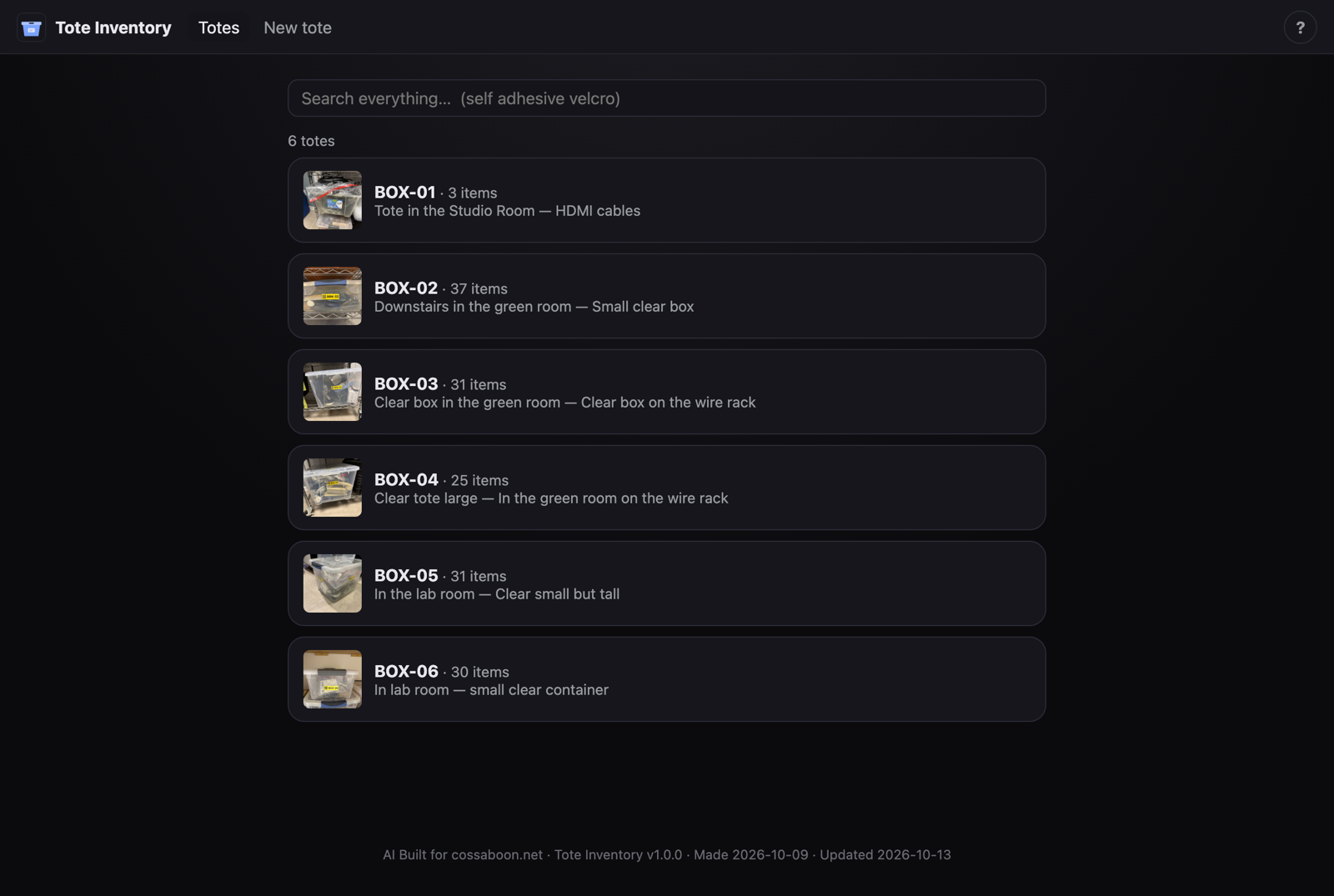
Tote Inventory: six boxes so far, one search box across all of them.
The labels needed a printer, and that turned into its own detour. My Brother PT-2730 has no CUPS driver at all, and Brother dropped its macOS driver. The fix was an open command-line tool that talks to the printer over raw USB, wrapped in a little web app previously made (ptouch-web). That app gained one more endpoint so Tote Inventory can hand it a finished QR label and get four printed copies. This is one of the cool things for me, the printer was an end of life thing. No software support, but with VIBE coding, I built an app to continue to use the printer. When the Hardware fails, I will move on, but now I have a way to print on a printer I bought a decade ago, and defers replacing it with a few hundred dollars of of new. Then since it was built, this app used that app….
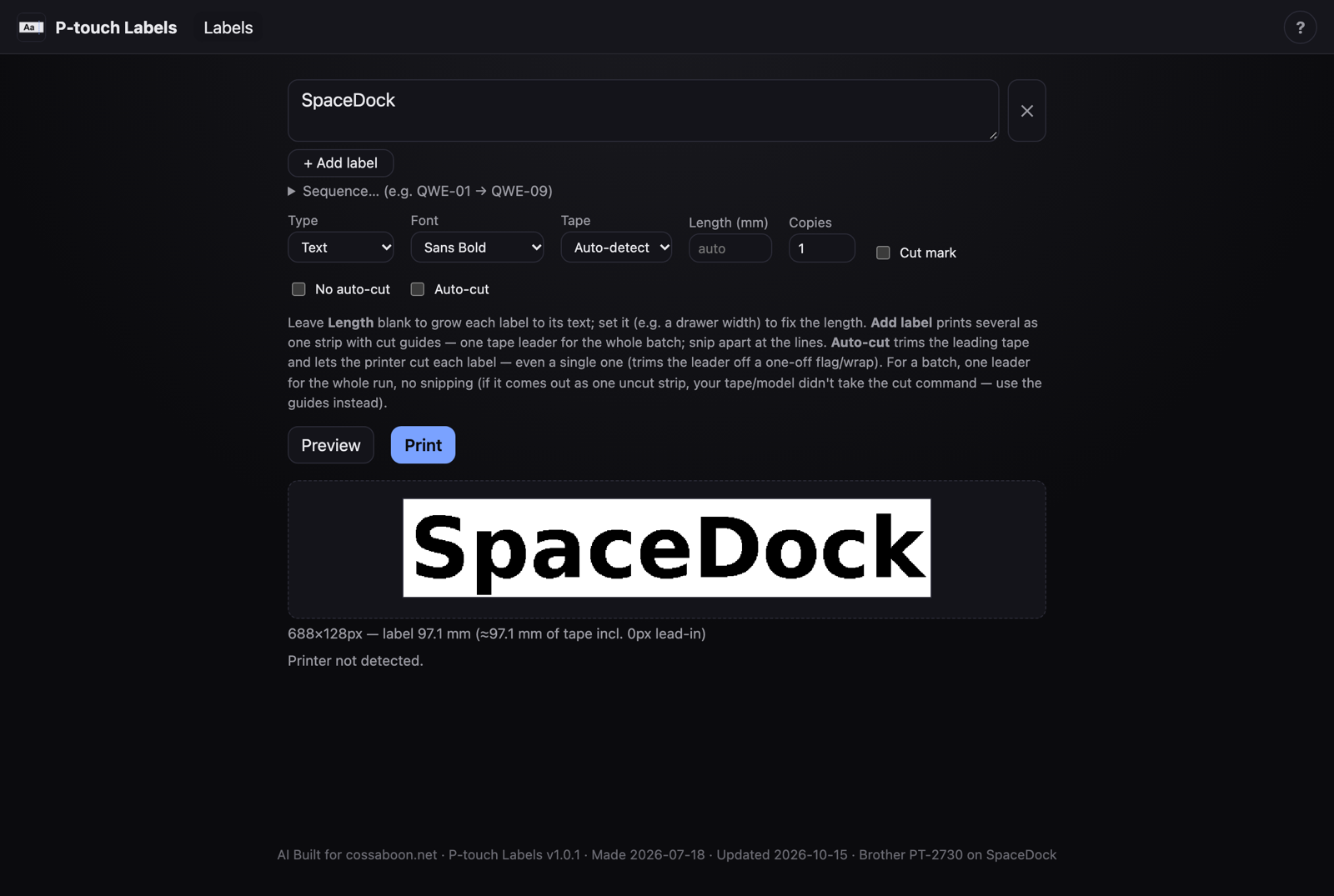
ptouch-web: what you preview is pixel-for-pixel what prints the tote app just put an API in to use it for app to app.
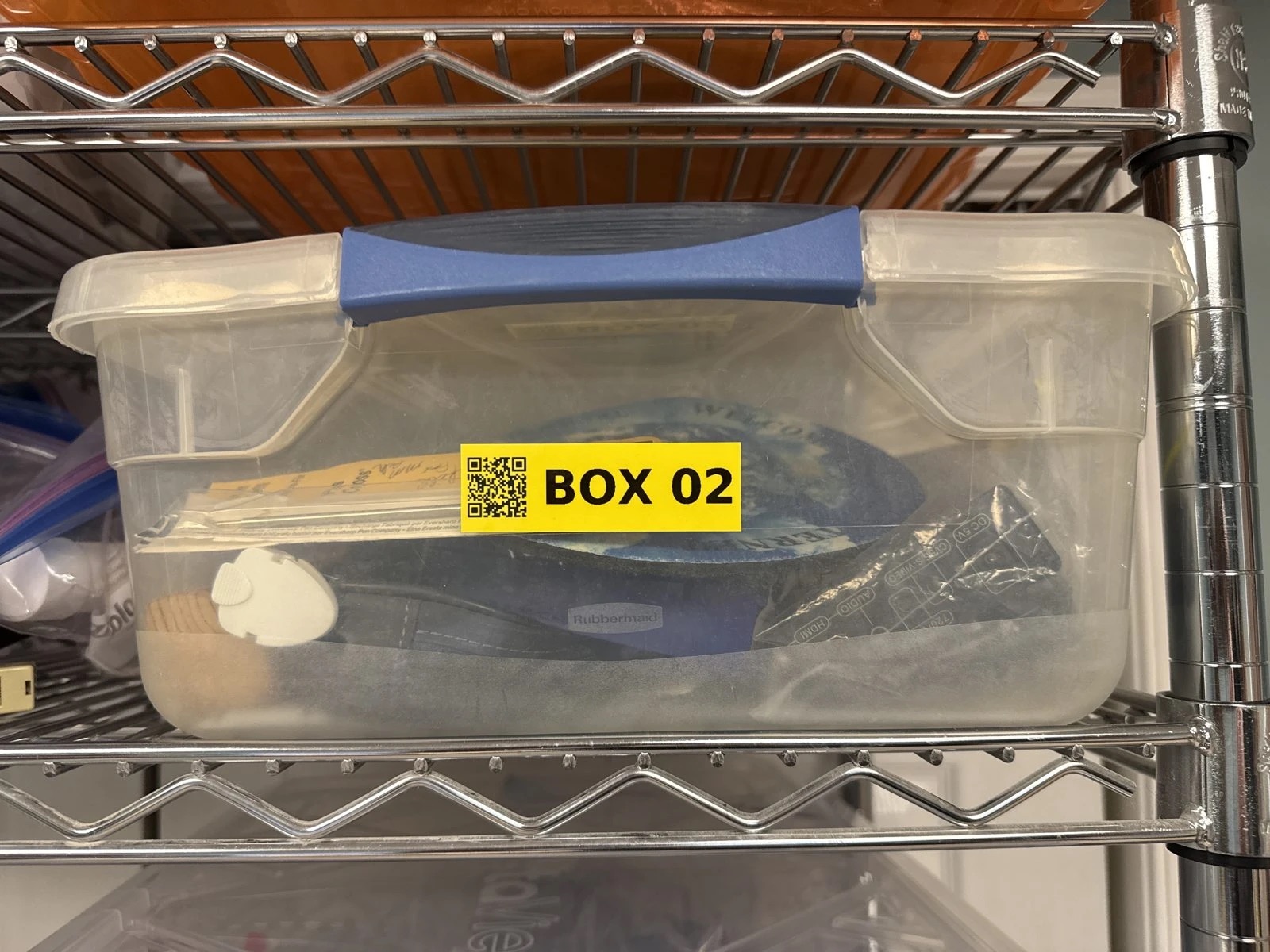
Box 02: scan the code and the phone opens what’s inside. The QR code will open the local App directly to the inventory of that box.
“I want the next five episodes, not twenty-four”
Plex’s iPhone app used to keep the next N unwatched episodes of a show downloaded and rotate them as you watched. That feature disappeared in the app rewrite around December 2025 and still hasn’t come back. No other iOS client does it either. I start with:
I consume massive storage on the iPhone holding 24 episodes of a series, when I want the next 5.
Since no client will choose what to keep, the choosing moved server-side. flightbag keeps the next few unwatched episodes of the shows I pick in a synced folder, ages out what I’ve watched, and tells Trakt (so Plex hears about it) when I watch something offline.
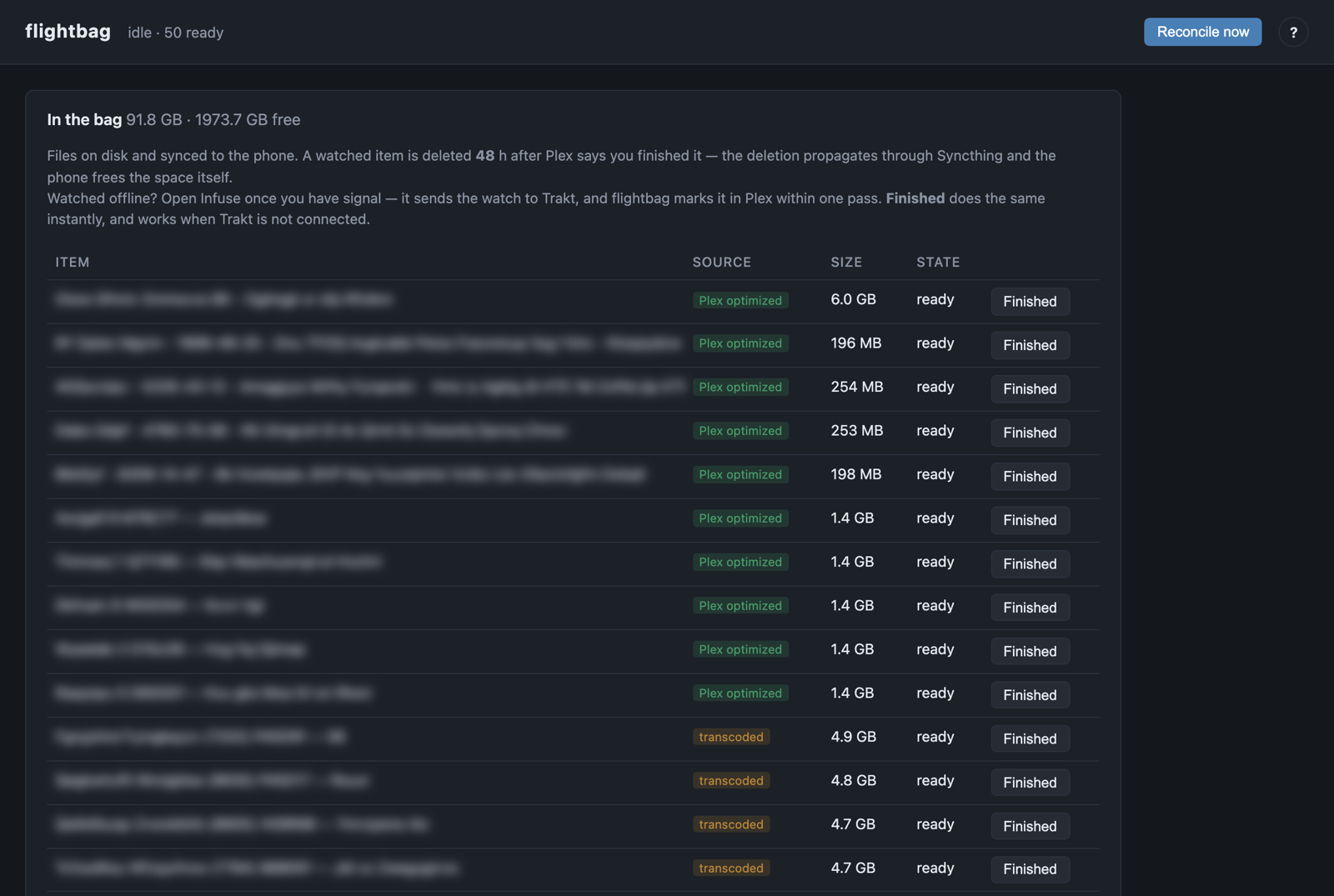
flightbag: what’s in the bag right now, and a Finished button for things I watched without signal.
“Which books am I missing?”
We are big users of Audiable.com and keep local copies of the library. My old method for finding gaps in the audiobook library was a ritual. I dumped a directory listing into an AI deep-research tool with a hand-written prompt and got back a CSV of every book each author had written. It was accurate exactly once and stale a week later.
Audiobook Librarian (books.cossaboon.net) does it live: click an author, see each series, and see what’s owned, missing, or announced. It’s deliberately read-only. It will run my current library against Audiable, and tell me which to are missing, and create a shopping list. This out performs their online tool as it is more than a wish list, I keep a running list of authors we like, and what is missing, and how many credits to buy.
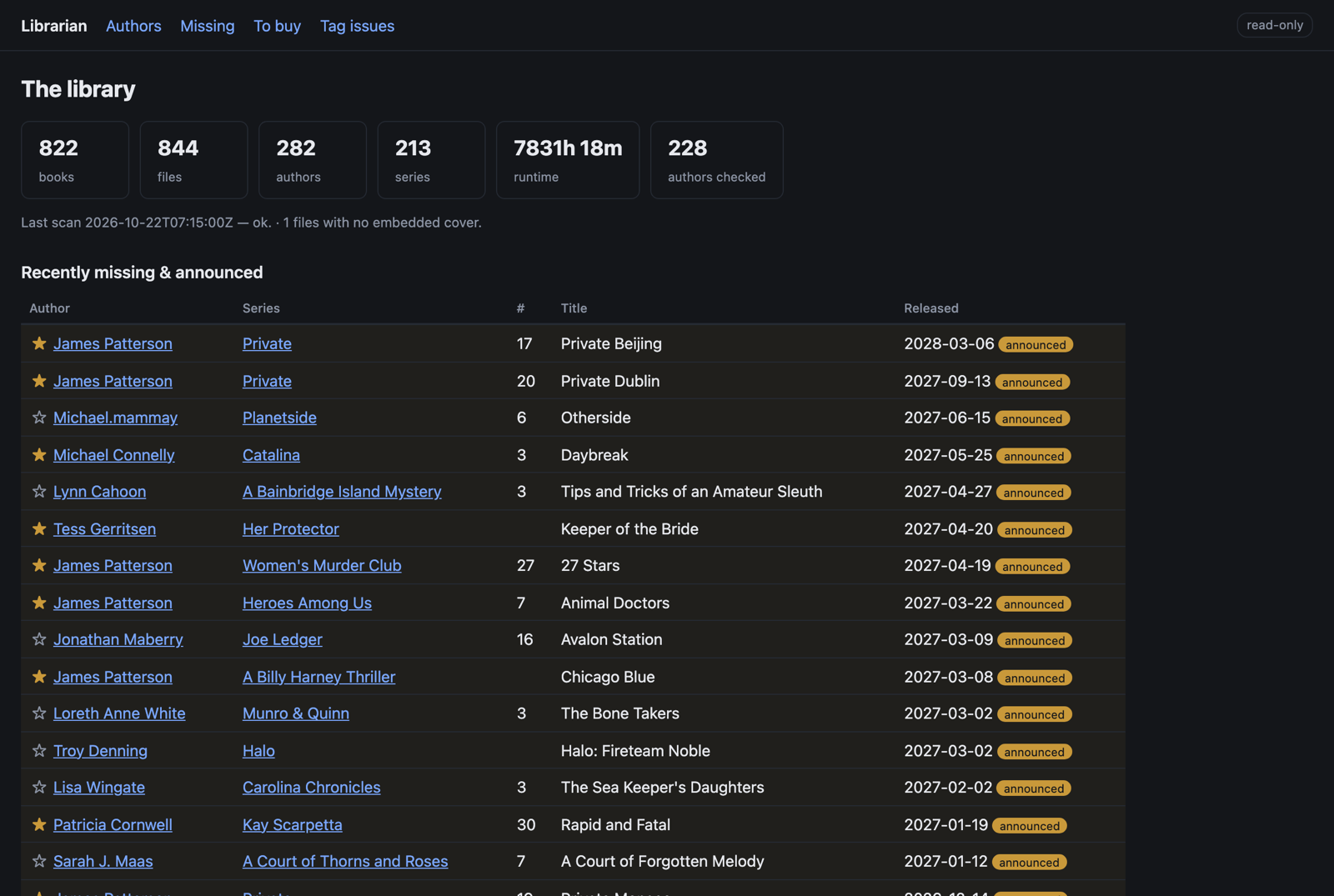
Audiobook Librarian: 822 books, and every upcoming release by the authors I follow.
“If the network dies, so does the map”
I have a dashboard that links every service by name. That’s perfect until DNS or the reverse proxy dies, and then the services and the map you’d use to find them go down together. The wiki with the recovery notes sits behind the same stack.
Lifeboat harvests the real IP address of every service nightly and writes self-contained files that live off the servers: on the NAS, on a Mac, in iCloud, on my phone. It’s a ladder. Each rung drops one dependency, down to a plain HTML page of raw IP addresses that needs nothing at all.
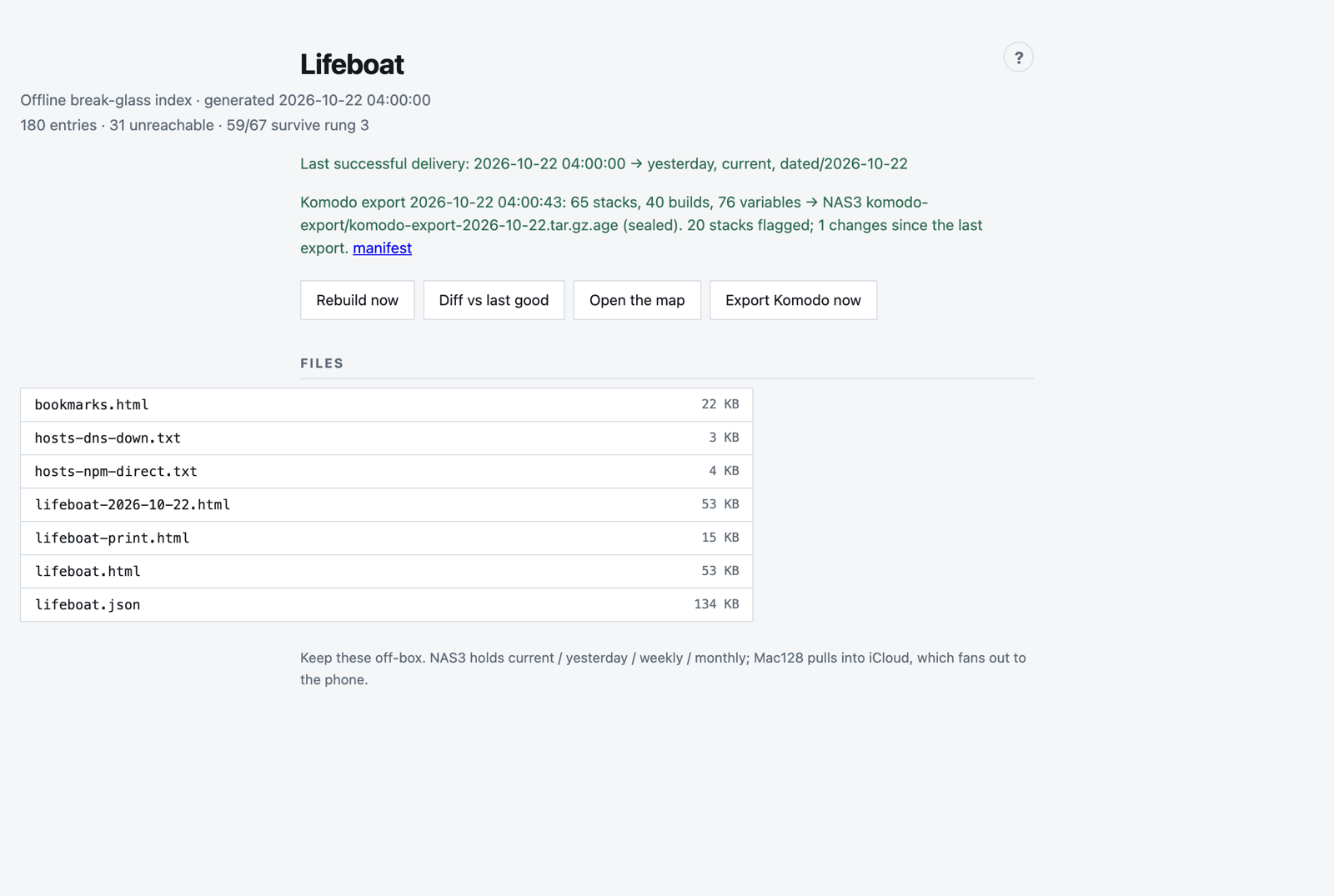
Lifeboat’s own page. The files listed are the lifeboat; the page is just where you pick them up.
“I forgot how to use my own app?”
This one was a little humbling. A few weeks after building Audiobook Librarian, I opened it and couldn’t remember how half of it worked. This is side effect of the AI VIBE coding. It does so much, and works, but then, ‘what did you do?’. The wiki knowledge.cossaboon.net, part of the AI Harness, described in loving detail how it was built and said nothing about how to use it.
So the house standard changed. Every project now gets a “how to use” page, and every web UI gets a ? button that opens built-in help. Ten existing projects got their usage pages backfilled the same week. A web UI house standard followed: the same dark theme, header, icon and help button on every app I build. Tote Inventory was the first to ship on it. If I update an app the new standard is applied.
Other parts of digital life….
The same sentence-first drive an AI assisted work flow…
The photo workflow. I wanted one click to take a camera card from “dumped” to “sorted, culled, and ready to edit.”
Photo Sort files every keeper by date and event. For any shot with the camera’s perspective data it writes a second RAW file that opens already leveled and keystone-corrected (this is an incamera feature of the Leica Q3 and EV1. The Camera knows how you are holding it, records that data, and applies it to the JPEG, not the RAW, I wanted it in the RAW format), still as a RAW. Bracketed sets get merged into one HDR RAW on the Mac itself by a patched HDRMerge we built from source. One thing I could not get was a change that stamped an aperture estimate into every file. The Leica EV1 does not have automatic aperture, it is manual, but, it does record what the camera estimates it to be in the EXF data, and wanted it in the RAW file, but too hard. Rewriting a Leica DNG in place silently stripped its Content Credentials, (a digital certificate that show authenticity) about 650 KB of provenance data.
Ken Burns Slideshow. iMovie and Final Cut Pro, is a lot of clicks when all you want is the video. I am on vacation, take 35 good photos and want to post to Facebook. Who wants to click through 35 photos, it is so much better as a little film real, but too much work since I have the photos, and can drag and drop to facebook. Now I drop photos in a folder, click an app, type a title, and get an MP4 with a slow zoom-and-pan on each photo, a blurred fill so portrait and landscape shots mix without black bars, and a signature end card. Took about 40 minutes to build, where making the video would have been 15 min, but the second video took 1 minute, and now I will actually post the videos not the pile of photos.
A 3D-printed Leica lens case. This is where vibe coding meets physics, and physics wins arguments. First came a rear cap, printed once and fitting perfectly, because every dimension came off a real cap with calipers, not a datasheet. The two-lens case that reuses that bayonet took about ten test prints. A locking pin snapped before it could be tested. A side clip needed four revisions. One integrated version failed because the thumb tab couldn’t move in its slot, so the clip couldn’t flex and the lens wore the tooth right off. Version 5 uses a spring-loaded slide bolt riding on the socket floor with 0.3 mm of play. The AI can design the part, but only the person holding the print can say whether it fits.
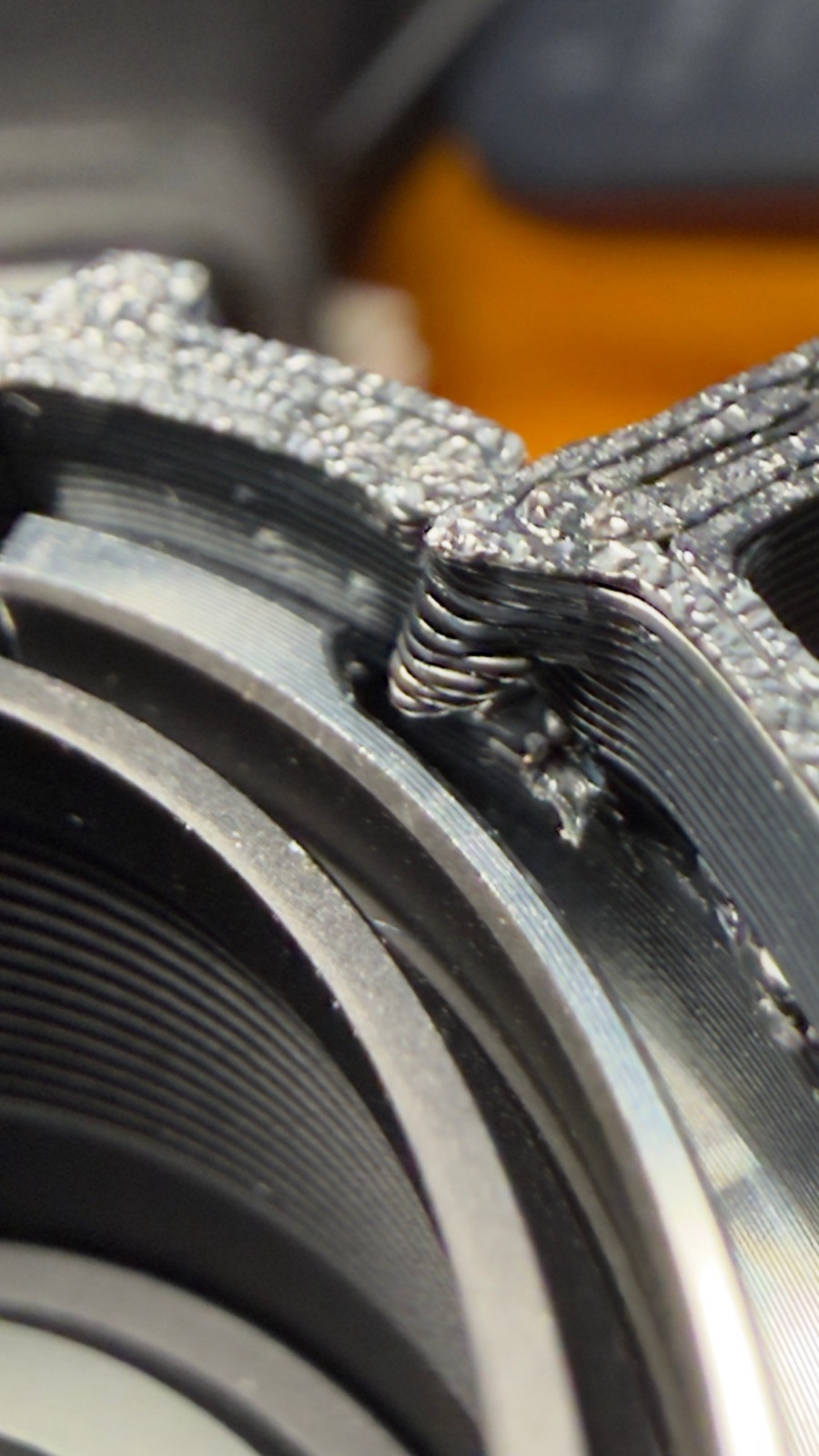
A failed lens-case test print, up close. This is the part of the project the AI can’t see.
A Plex dial on the bench. A tiny round ESP32 display normally shows a radar scope of aircraft overhead. When the living-room Apple TV plays Plex, Home Assistant switches it to a show-time dial: the whole circle is the episode, a bead marks where you are, and the time remaining sits in the middle. Real pauses exposed a stale-position bug, so the firmware and the automation each got a fix the same evening. A small chip (ESP32) some wires to a round screen, and some AI VIBE Code, and this is what I have. (Now need a case)
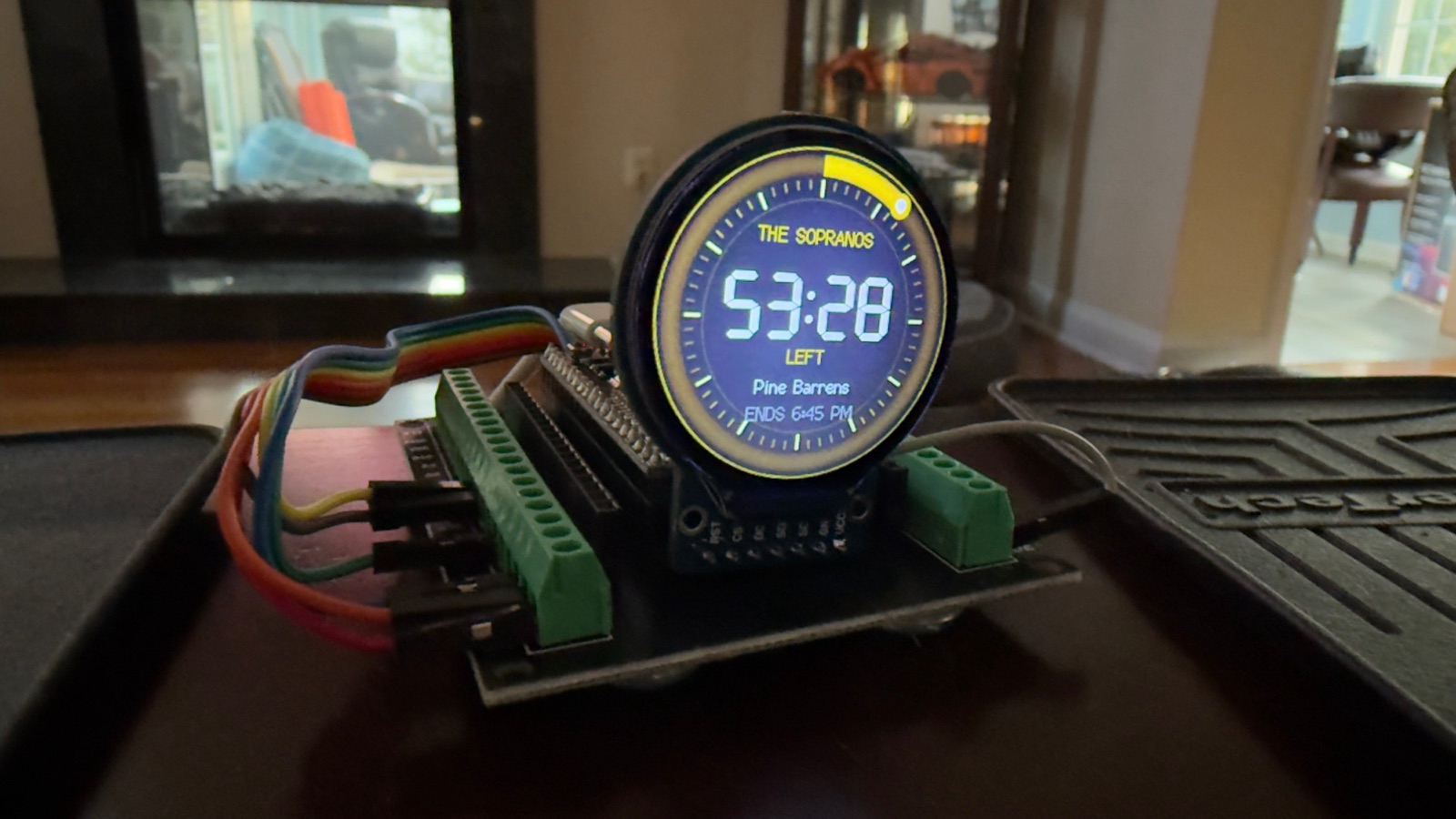
The Plex dial mid-episode: 53:28 left, with an end time so I know if there’s time for one more.
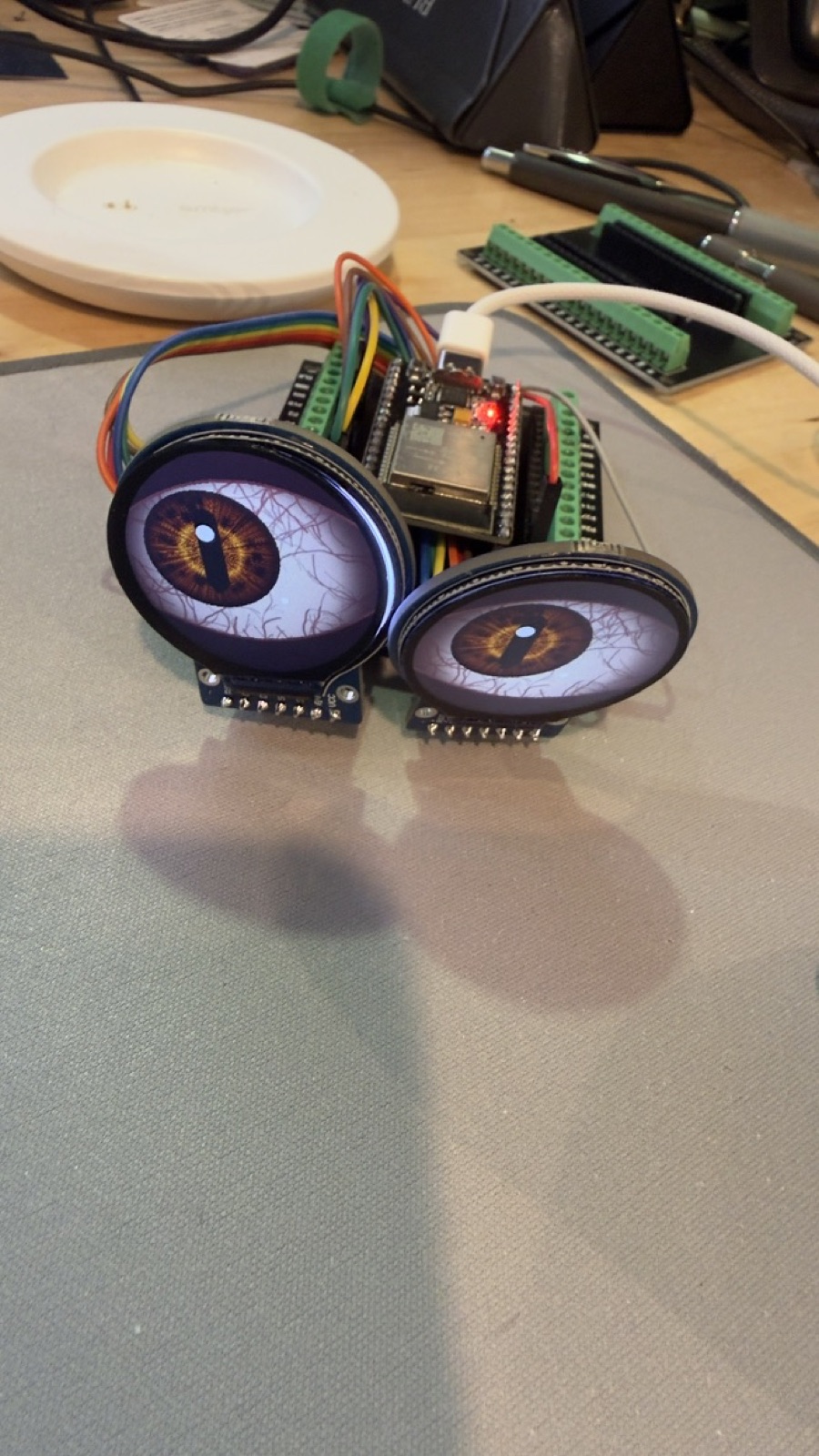
Same little round screens, less serious job. Amazing what can be done.
The Help when I rebooted to upgrade hosts
On October 8th I rebooted a server and the NAS. Everything came back up. Every container was “running.” Nothing alerted.
Fifteen hours later I noticed that AI sessions were behaving strangely. The documentation service they read every morning was answering every request with HTTP 200 and the body “Guide not found.”
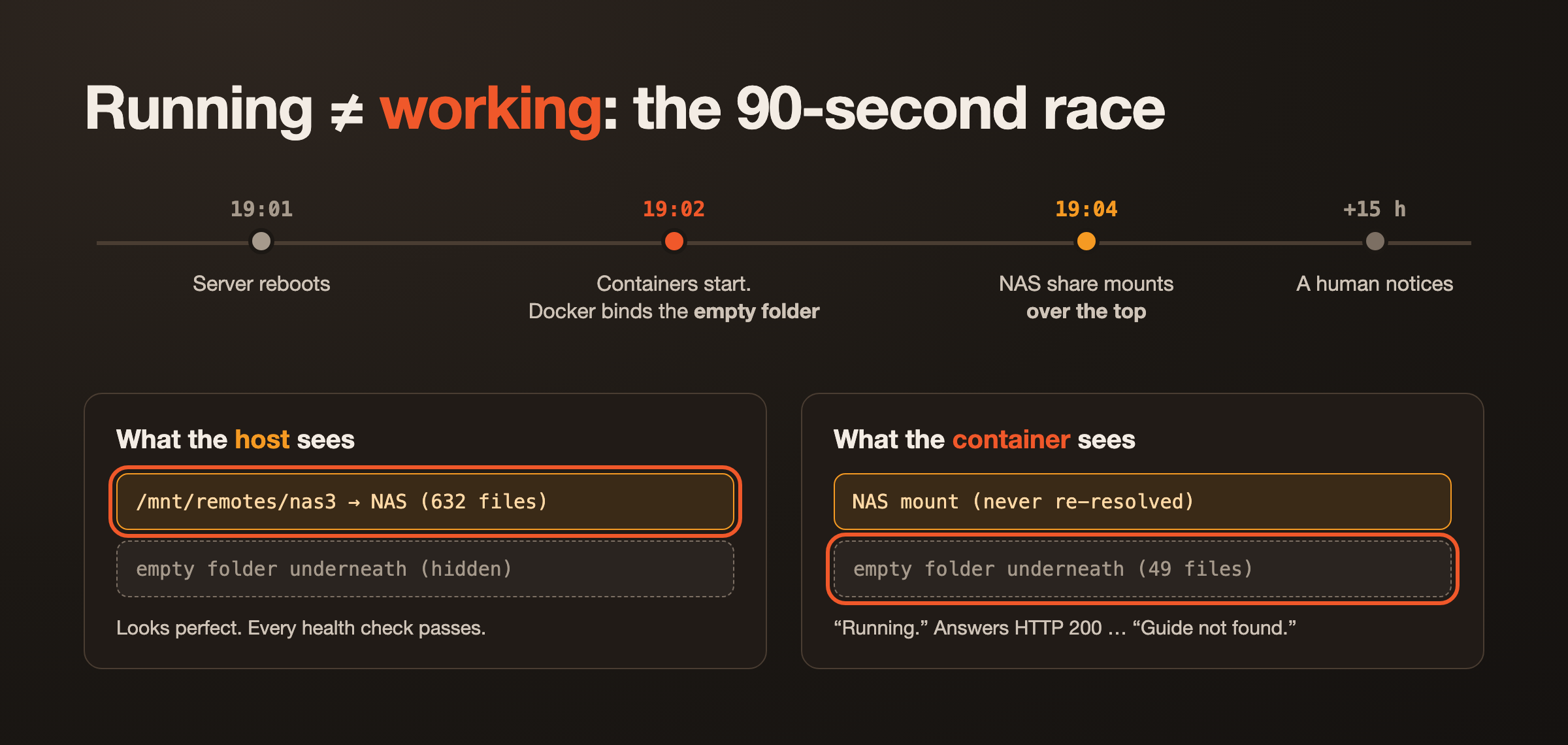
The cause is a quiet Docker detail. A bind mount is resolved when the container starts. The containers started about ninety seconds before the NAS shares mounted, so Docker bound them to the empty local folder underneath the mount point. When the NAS arrived it mounted over the top. The host saw the right files. The containers kept looking at the empty folder underneath, and nothing complained.
Once I knew what to look for from a deep AI investigation, the damage report was long:
- The documentation API (and the AI sessions using it) served “not found” for 15 hours.
- The wiki viewer container was simply gone.
- Manyfold couldn’t save 3D models. Lifeboat missed three nights of off-box copies.
- flightbag lost its media share, the only one not set to auto-mount.
- Immich and Lychee were writing to RAM. Anything saved in that window vanished at the next restart.
Why nothing alerted. I have a few check systems, Uptime and Pushover, Every check I had asked “is it up?” and everything was up. It was just looking at the wrong disk and had no data, so up and useless.
The fixes:
- A recovery phase in the boot script on all three servers. It waits for every NAS share, compares what each container sees with what the host sees, and restarts only the containers that are blind.
- A canary file on the share. My idea was to write “THIS IS CORRECT” on the NAS and “THIS IS WRONG” on the local folder underneath. The AI pointed out that the second half is impossible: you can’t write under a live mount, and Docker creates the folder fresh anyway. So absence of the correct marker is the alarm. Healthchecks now check the content of the share, not whether the app answers.
- Lifeboat’s delivery check now refuses any target that isn’t really a network filesystem, re-checks every hour, and sends a push notification when it breaks.
Latest, with a way back
While moving the production media stack from unRAID’s built-in Docker manager into Komodo, I gave the AI this brief:
I want the latest, to keep security up, BUT it can break things. Can we create a log of the versions so that if PLEX starts to fail, I can roll back to a specific known good?
That became the image-versions standard, now on all three servers:
flowchart LR
  K["Komodo sees a newer image"] --> P{"policy"}
  P -->|AUTO| D["deploy"]
  P -->|NOTIFY| N["push notification"] --> U["I click Deploy"] --> D
  D --> S["snapshot app data first"]
  S --> L["hourly ledger:
new / good / bad"]
  L --> B["log book entry
with the exact digest"]
  L --> R["one-command rollback
to last known good"]
A few more safety nets went in alongside it:
- Komodo itself is now pinned to an exact version instead of
:latest. A nightly backup checks in with a monitor that complains if it ever goes quiet, and the git server’s backup got the same treatment. - An escape hatch from Komodo. Every night Lifeboat now writes an encrypted export of every stack, build and variable as plain
docker compose. That’s for the day Komodo breaks, disappears, or goes paid. We proved it by restoring the export into a throwaway Portainer sandbox, fixing what didn’t come across, and tearing the sandbox down. - A cleanup. About a dozen dead containers, a 2024-era reverse proxy, an abandoned VPN container and an IPTV experiment were retired properly, front doors and leftovers included. Every deletion went in the log book, the change ledger every session now writes, because a deleted thing leaves no trace in the config that used to hold it.
And yes, the AI breaks things too. While checking Komodo’s version it ran core --version. That binary ignores --version, so it started a second copy of Komodo Core inside the running container. The copy died within 50 ms because the port was already taken, and no harm was done. The AI checked that, then wrote its own mistake into the log book unprompted. That entry is why I trust the log book.
What “vibe coding” actually means here
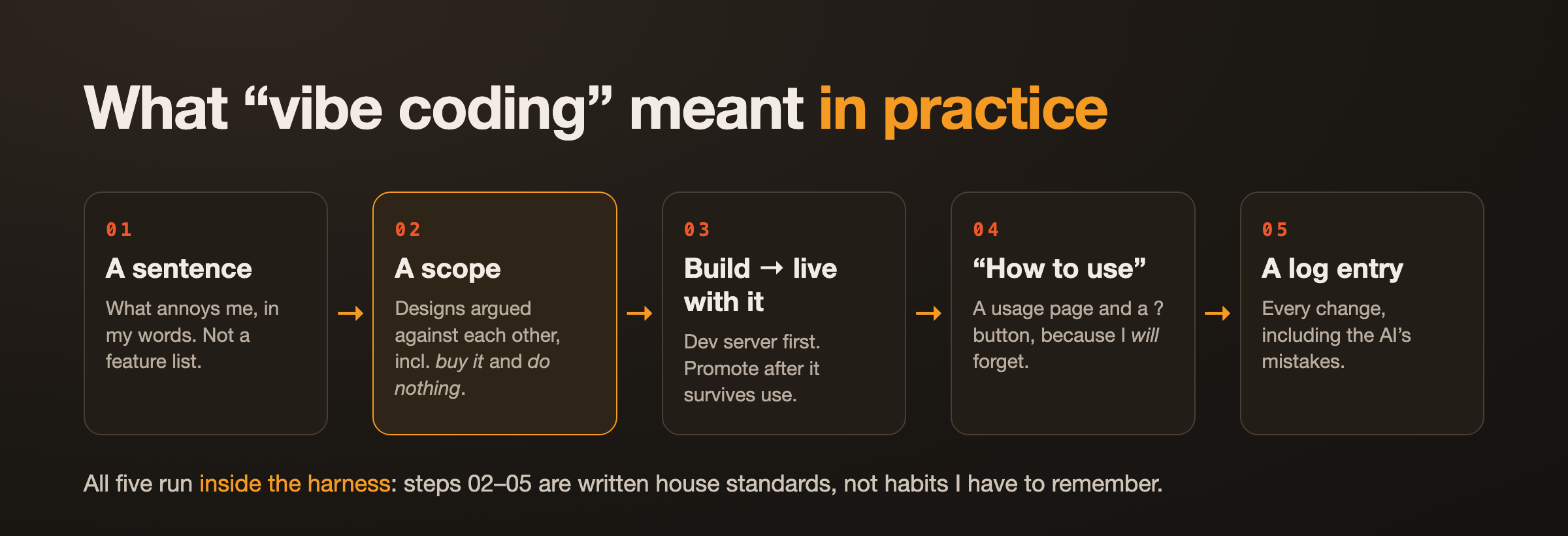
If you picture vibe coding as “type a wish, accept whatever comes out,” that isn’t what these two months looked like. The loop that worked:
- A sentence in my own words. What annoys me, not what to build.
- A scope. Several designs argued against each other, including “buy it” and “do nothing.” Most of the value is here. Tote Inventory exists because the database option failed a requirement I hadn’t noticed I had.
- Build on the dev server, live with it, then promote.
- A “how to use” page, because I will forget.
- A log entry for every change, including the ones the AI got wrong.
All five run inside the harness. Steps 2 through 5 are written standards the AI loads, not habits I have to remember. When I add a new rule (the usage page started as one annoyed afternoon), it becomes a standard, and every project after that will be based on that, or when I update an App.
The apps are small. None of them would survive as products. They each solve exactly one annoyance in one persons digital life, which is why nobody sells them. With the harness in place, a sentence and an evening is now enough to build one, and it comes out documented, monitored and reversible.
The reboot was the real lesson, though. Building things got cheap and fast. Knowing they’re actually working and can keep on working, not just running, is important. That part still takes a human who notices the canary in the coal mine is acting strange.
A footnote on how you’re reading this: like last time, the first draft of this post was written by an AI, working from my wiki and the change log it helps keep, then edited by me for the parts only I know. The deep versions, with every prompt, lesson and mistake, live on my knowledge base.
About the Author

Kevin Cossaboon
A networking profesional located in Northren Virginia, USA. My hobbies are Technology and Photography. Love playing with the latest technology, and will try to post reviews of them. Also love my life long journey of learning to capture light, to trigger emotions, through photography.